
Managing Admin Email Notifications in SignUpJester
Admins can now choose which email notifications they’d like to receive—whether it’s new bookings, cancellations, or reschedules. No more guessing or constantly checking SignUpJester. Just toggle your preferences and let the updates come straight to your inbox.
👣 Step‑by‑Step Guide
🖥️ Step 1: Log In
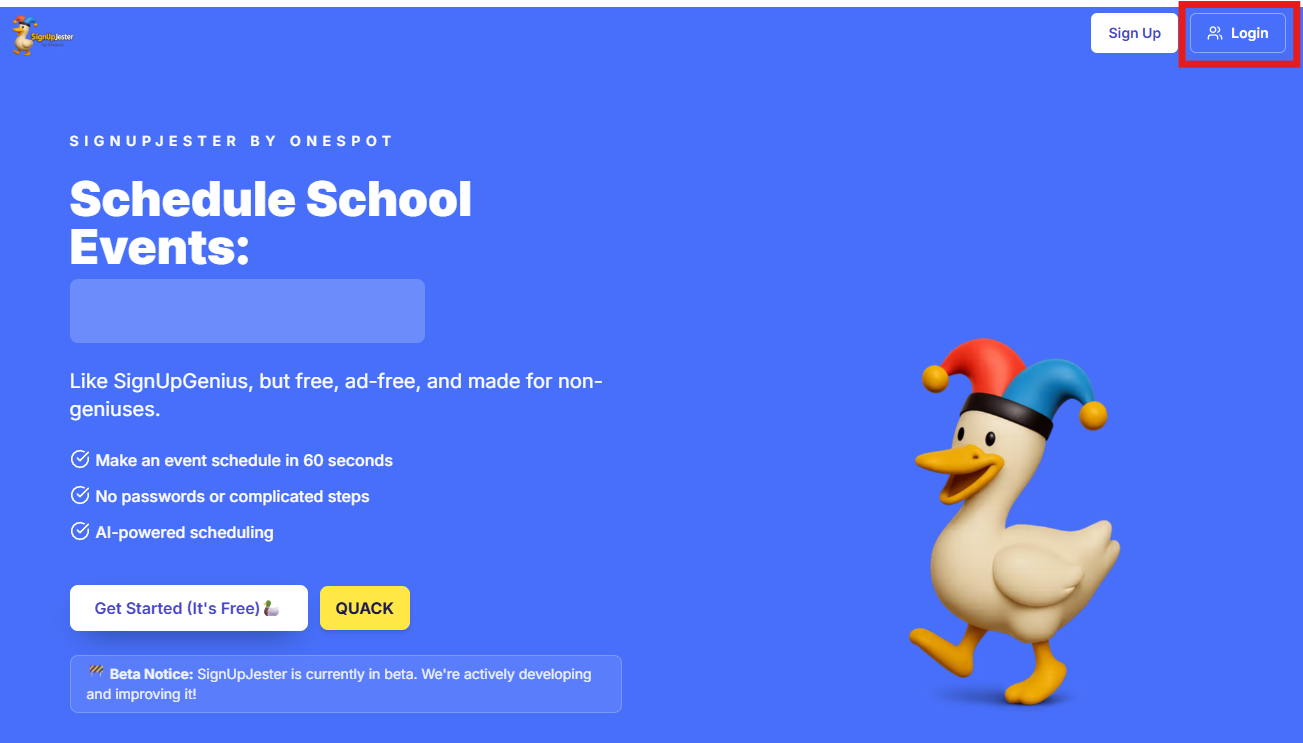
- Go to signupjester.com.
- Click Log In at the top right.
- Sign in using your magic code or password.
⚙️ Step 2: Open Preferences
- Navigate to the Preferences tab.
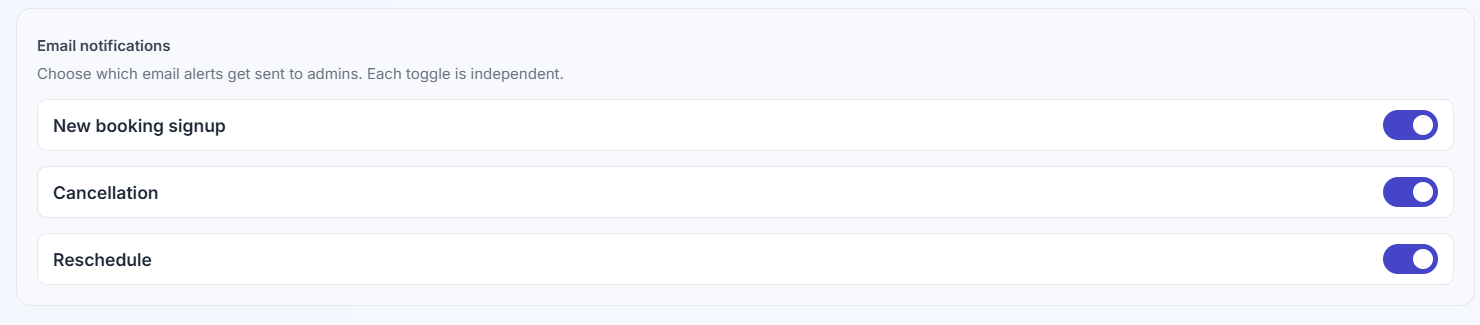
- Toggle on/off the buttons for email notifications based on your preference.
- Each toggle is independent; you decide which alerts you want:
💾 Step 3: Save
- Click Save to apply your changes
💡 Good to Know
- You can change your notification preferences anytime under the Preferences tab.
- Updates take effect right away, so you’ll only get the alerts you want.
- This feature keeps admins in the loop without overwhelming your inbox.