
How to Log in to SignUpJester
Logging in to SignUpJester is simple and flexible. You can choose to log in using a Magic Code sent to your email or with a Password if you’ve set one up.
👣 Step‑by‑Step Guide
Step 1: Get Started
- Go to signupjester.com.
- Click Log In at the top right.

Step 2: Log in Using Magic Code or Password
🪄 Magic Code
- Enter your email address.
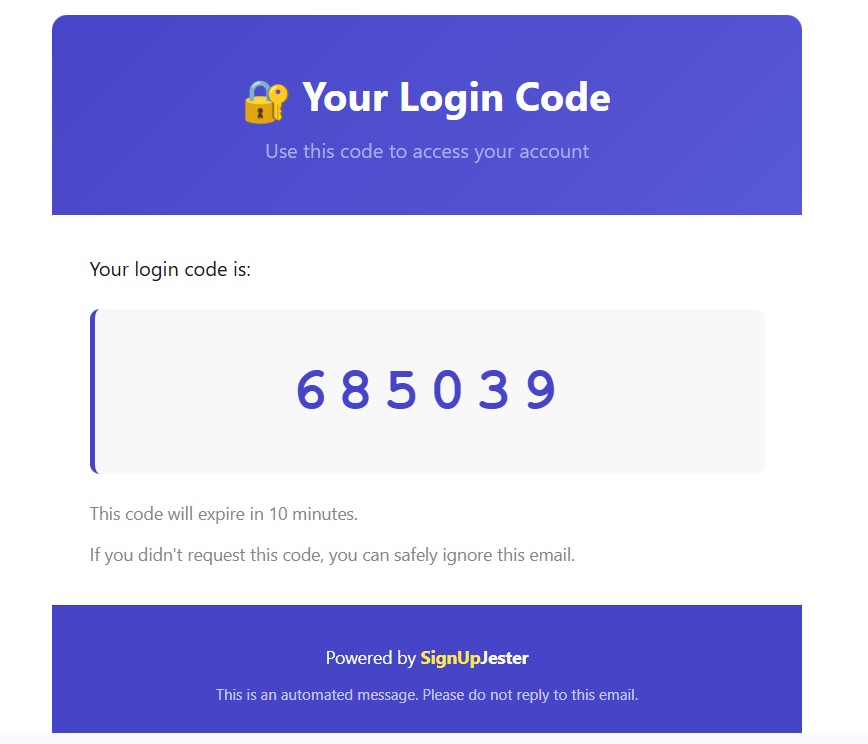
- A code will be sent to your email.
- Open your email inbox and copy the Magic Code.
- Return to SignUpJester and enter the code.
- Once verified, you’ll be redirected to your dashboard.
🔐 Password
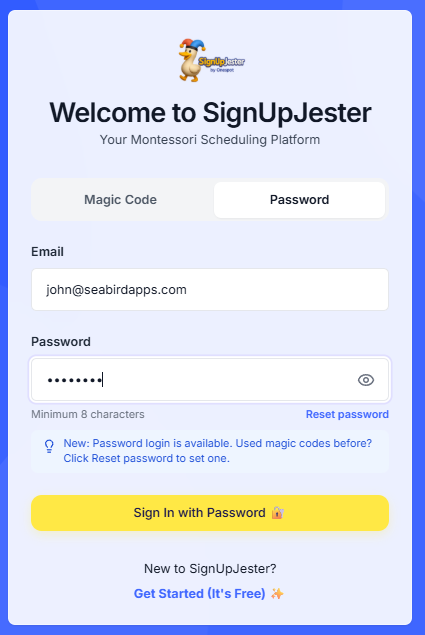
- Enter your email address.
- Enter your password.
- You’ll be redirected immediately to your dashboard.
📝Note: If you signed up before the password feature was added, simply click Reset Password to create one.
🎉 Hooray! You’ve successfully logged in to SignUpJester.