
How to Check Classroom Placement (Applications, Waitlist, & Enrollment)
The Enrollment tab in the Applications, waitlist, & enrollment dashboard (beta) shows which classroom each child is placed in, session by session, like Transparent Classroom's (TC) Classroom Placement page. Use it to see who still needs a classroom or re-enrollment.
🎥 In the video:
- 2:15 The Enrollment tab and open spots
- 2:35 How enrolling and re-enrolling in TC shows here
- 3:09 Comparing sessions
- 3:21 Filtering by classroom and status
📍 Where to Find This
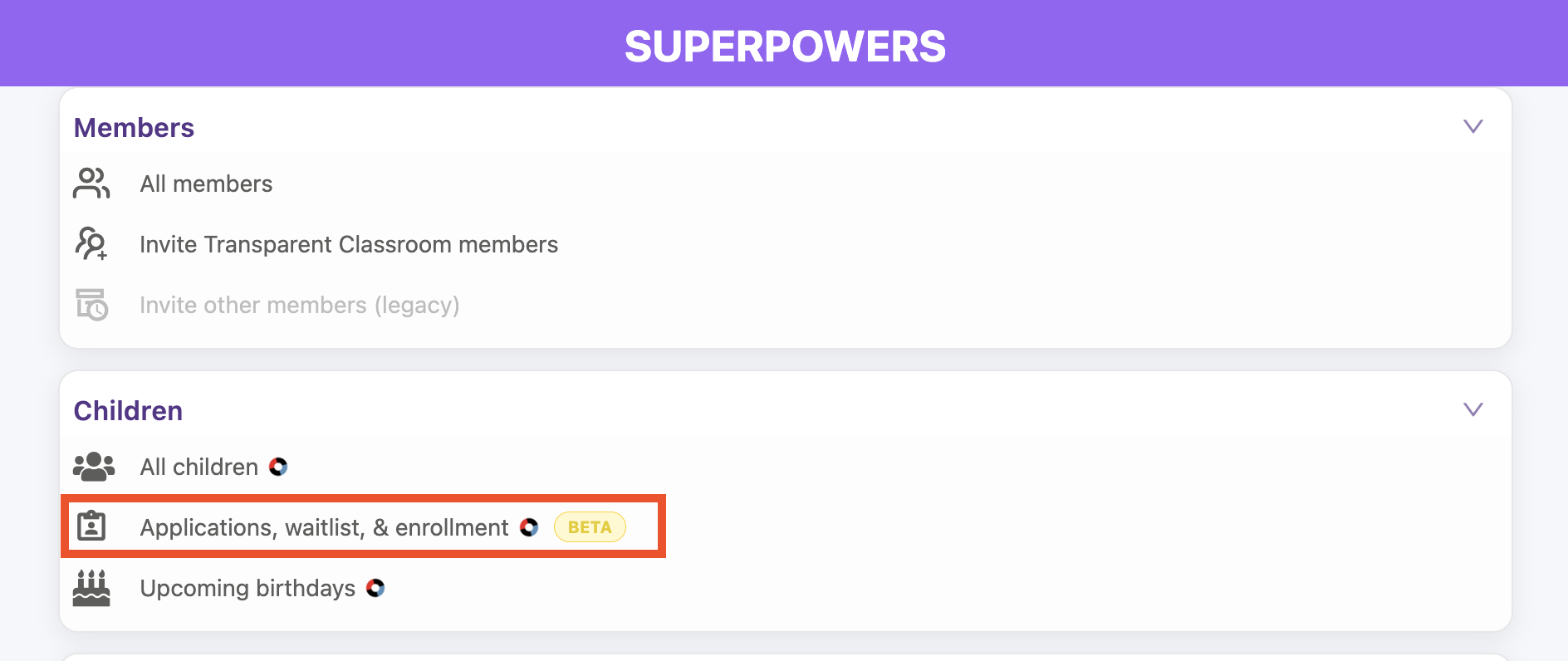
Tap the ⚡ Lightning Bolt to open Administrative Superpowers, go to Children → Applications, waitlist, & enrollment, then tap the Enrollment tab.
🏫 See Each Child's Placement
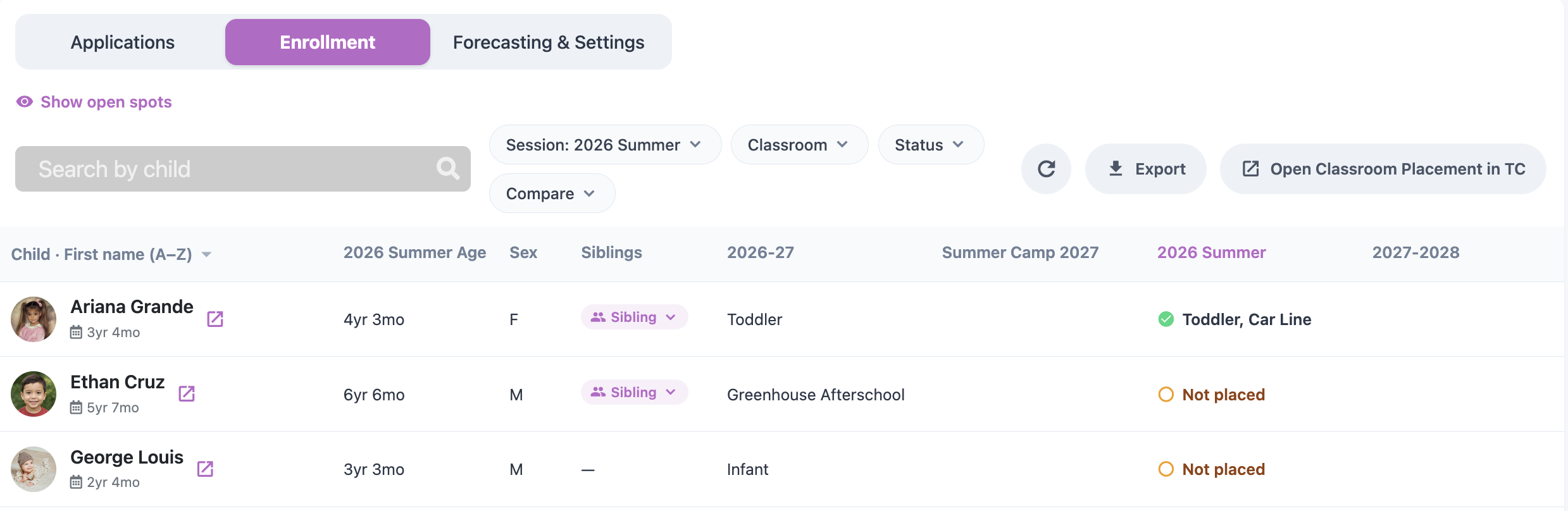
Each child is listed with their age, sex, siblings, and classroom in each session. For the session you choose, a child is marked:
- Placed, with a green ✓ and their classroom (a child can show more than one classroom).
- Not placed, if they don't have a classroom yet.
🔎 Filter and Compare Sessions
- Use the Session, Classroom, and Status filters. Status shows counts for All, Not placed, and Placed. For example, set Status to Not placed to see who still needs a classroom.
- Tap Compare and check other sessions to view them side by side.
- Search by child name.
- Tap Export to download the list as a spreadsheet (.csv).
🪑 Check Open Spots
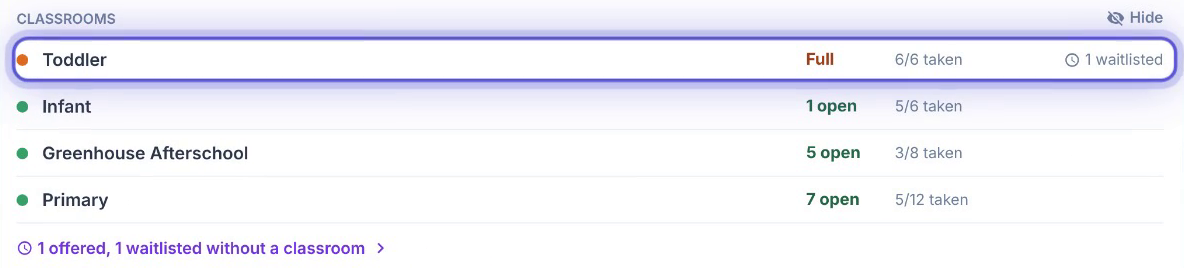
The Open spots panel at the top shows open seats for the session, and each classroom marked Full or with its number of open spots, seats taken, and children waitlisted. Offered children count toward taken seats.
Open spots appear once you enter seats in Forecasting & Settings, since TC doesn't track classroom capacity.
✏️ Make Placement Changes in TC
This tab is read-only. To enroll, re-enroll, or move children, tap Open Classroom Placement in TC. Your changes in TC show here, so you can come back to check who's placed and who still needs re-enrolling.