
How to Turn Off Stripe Link
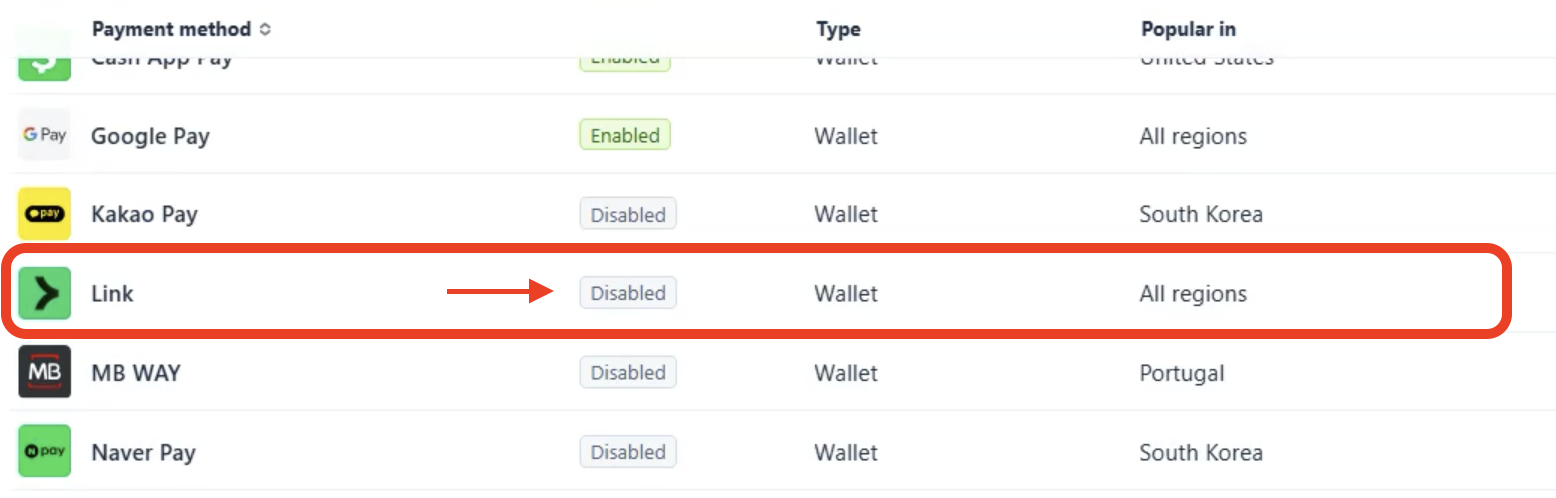
Link is Stripe’s feature that saves a customer’s payment details for faster checkout. It sounds handy, but it’s worth turning off for one simple reason: bank payments made through Link cost more.
When parents pay by bank transfer normally (ACH), the fee is very low (0.8%, capped at $5). When they pay through Link, even if they’re still using their bank account, the fee is 2.6% + 30¢ (standard US Stripe pricing). For a school collecting tuition and fees from many families, that adds up fast.
How to turn off Link
- Log in to your Stripe Dashboard.
- Go to Settings > Payments > Payment methods.
- You’ll likely see more than one payment configuration, such as Default (Your account) and Billing Payments (Onespot account). Turn off Link in each one, repeating steps 4 and 5 for every configuration.
- Click Link to expand its panel.
- Click Disable.
Can’t make changes to Billing Payments? Some settings in the Onespot account configuration may be locked. If you’d like help with the configuration, add Onespot as an admin on your Stripe account, and we can set it up for you. Just reach out, and we’ll send you the email address to share access with.
Seeing “Default payment methods” under Billing > Invoices?
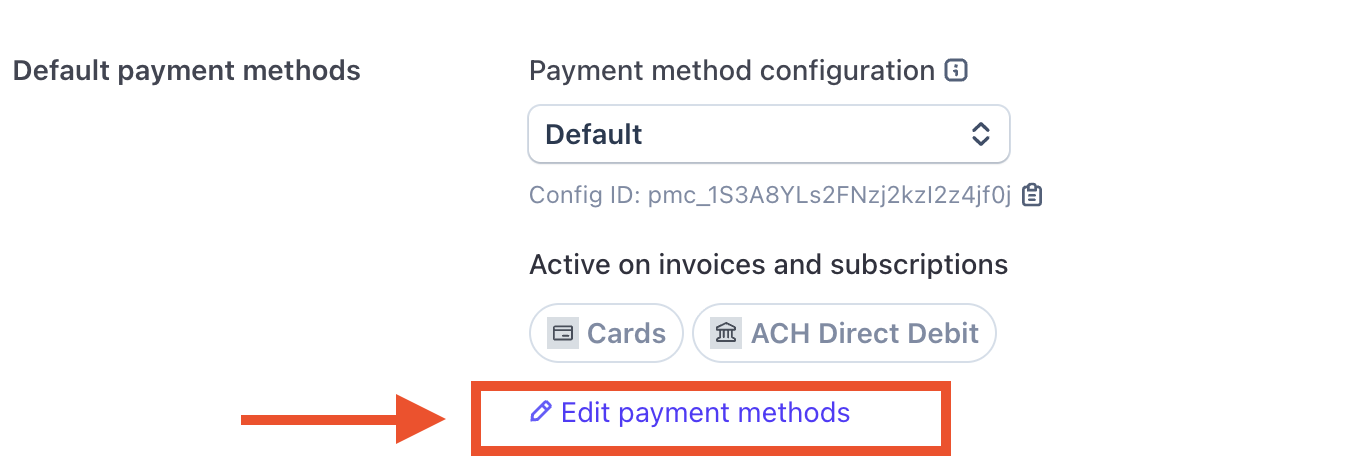
You may also notice a Default payment methods section under Settings > Billing > Invoices. This isn’t an extra step. It shows which payment method configuration your invoices and subscriptions use, and which payment methods are active in it.
Clicking ✎Edit payment methods there takes you back to the same Payment methods page above, so there’s only one place to turn off Link or any other payment method.
While you’re here
The same Payment methods page is where you can turn off other payment types your school doesn’t want to accept, like credit cards. Just like Link, make sure to turn them off in each payment configuration.
Need help with the configuration?
Add Onespot as an admin on your Stripe account, and we can set it up for you. Just reach out, and we’ll send you the email address to share access with.