
The Billing Plan Option on Your Invoices
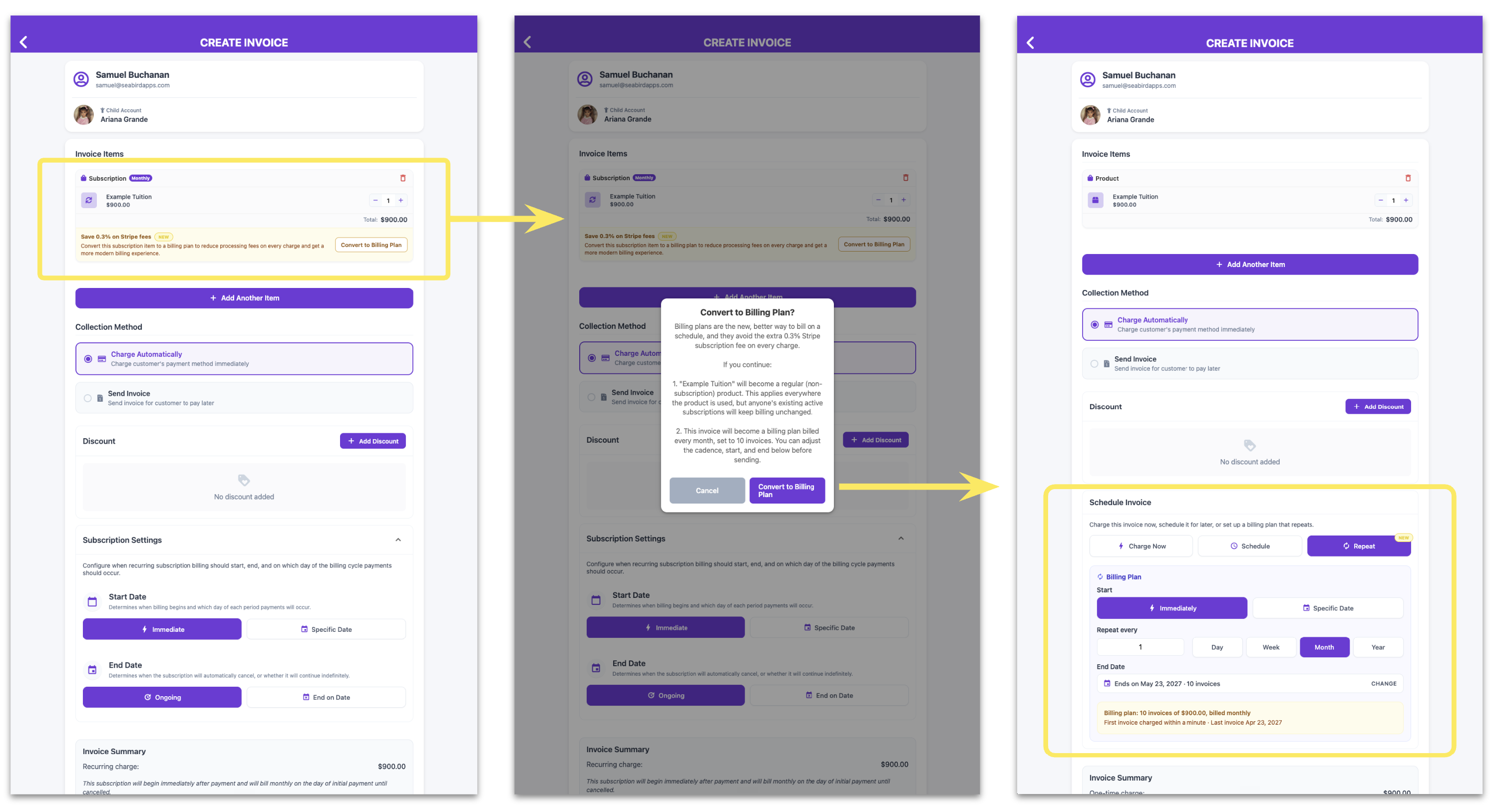
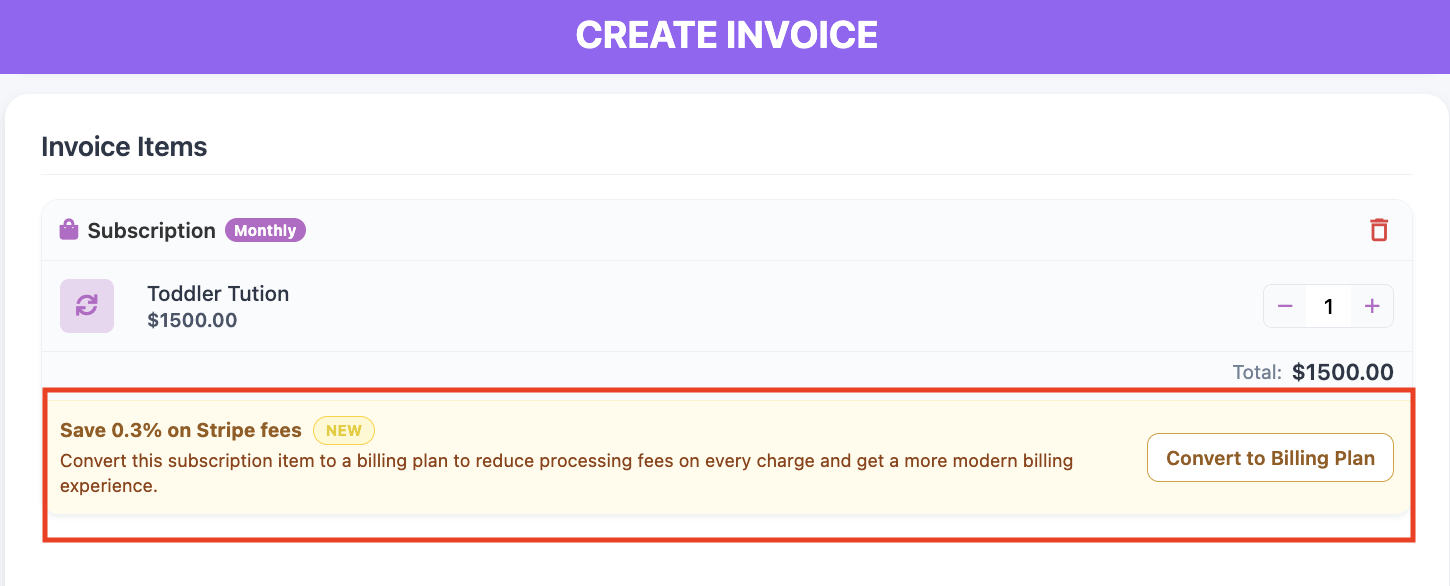
While creating an invoice, you may see a banner offering to convert an item into a Billing Plan with one click. Here's what that option does and when it's worth taking.
What a Billing Plan gives you
A Billing Plan turns a single invoice into a scheduled series — one setup covers every installment, and each one bills as a standard one-time invoice. That's what keeps the processing fee at Stripe's lower one-time rate.
It's the better fit for tuition installments, semester fees, and payment plans, since you set the cadence and end date yourself rather than working around fixed intervals.
When the banner appears
You'll see it during invoice creation, on any line item using a recurring product. One-click convert sets the invoice up as a Billing Plan and drops you into the schedule settings, where you can adjust the start date, cadence, and end date before sending.
Add a one-time product and no banner appears — Billing Plans are built from one-time items already, so there's nothing to convert.
Existing recurring billing isn't affected
Families already on a recurring plan keep billing exactly as they are. The option applies to the invoice you're building now.
Worth using if
- You're billing tuition in installments. Set the full year up once — pick the start date, the cadence, and the end date, and every invoice in the series is scheduled in one go.
- You want the schedule to match your school's calendar. Repeat every 2 weeks, every 6 months, or any other interval that fits your terms rather than a fixed monthly or yearly cycle.
- You want lower processing fees on repeating charges. Each installment bills at Stripe's one-time rate.
- You want the amount locked in. Items and pricing are fixed when the plan is created, so a later price change won't affect a plan already running.
- You need discounts applied across every installment. Add a sibling or staff discount as a negative custom item once, and it carries through the whole series.
- You want flexibility after setup. Reschedule remaining invoices, switch how they're collected, or cancel what hasn't been billed yet.
Ready to set one up? See How to Set Up a Billing Plan (Invoice Installments).