
How AI Answers, Onespot's Support Assistant, Works
When you open the Onespot Support Center, the first thing you'll see is AI Answers — our AI-powered assistant. It's built to answer most questions about Onespot and your app instantly, so you don't have to wait for a reply.
We want to be clear about what AI Answers does, where its limits are, and how to reach a real person whenever you'd prefer.
Where to find it
You can reach AI Answers two ways:
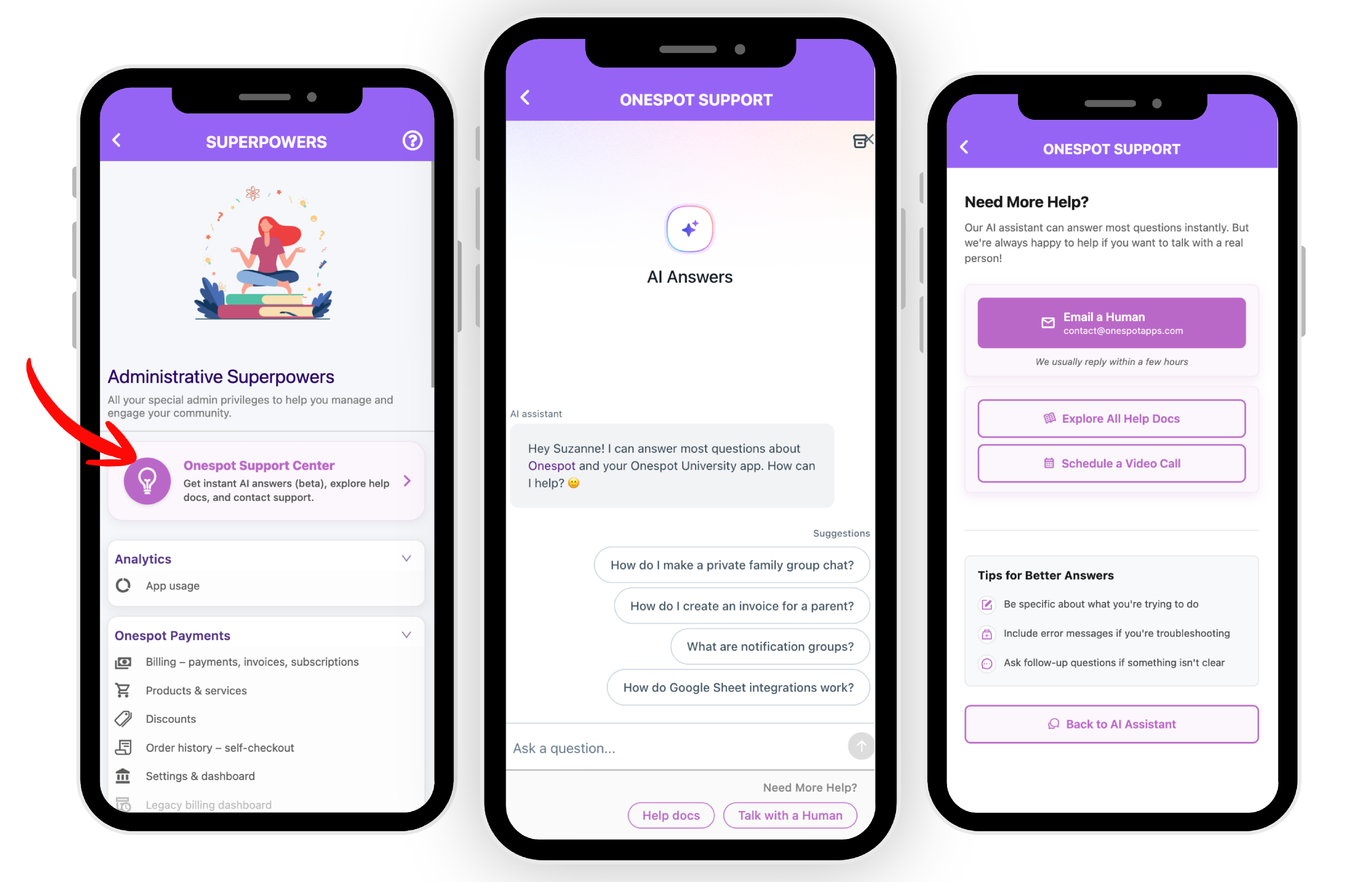
In the app: Open Administrative Superpowers → Onespot Support Center. AI Answers is the first thing you'll see, alongside options to browse the help docs or contact our team.
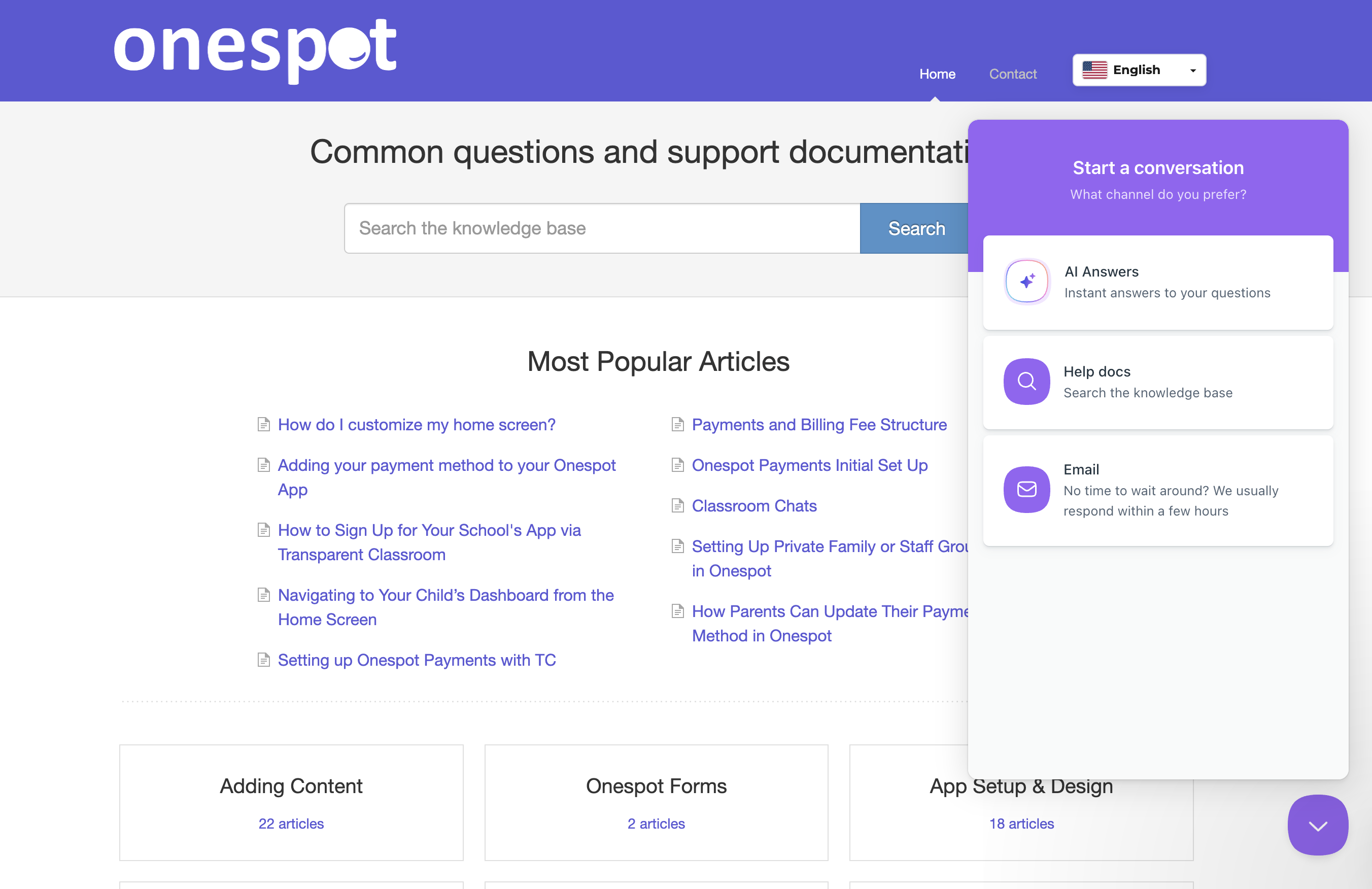
From the help site: On help.onespot.fyi, click Start a conversation and choose AI Answers. The same menu also lets you search the help docs or email our team.
What AI Answers is good at
AI Answers is built to take the friction out of getting help. It can:
- Answer common questions about running your community in Onespot
- Surface the most relevant help doc in seconds
- Get you moving again without waiting for a reply
To get going, type your question into Ask a question…, or tap one of the suggested questions to start.
Reaching a real person
AI Answers handles the quick stuff well, but some things are better with a person — account-specific issues, anything involving billing or member data, or a question that just isn't landing. You have three ways to reach us:
- Email a Human — contact@onespotapps.com. We usually reply within a few hours.
- Schedule a Video Call — book a time to walk through something live.
- Explore All Help Docs — browse the full Help Center yourself.
Tips for better answers
A few habits that help AI Answers help you:
- Be specific about what you're trying to do. "Members can't see a hidden screen on Android" beats "screen problem."
- Include error messages if you're troubleshooting. Exact wording helps narrow things down fast.
- Ask follow-up questions if something isn't clear. You can keep the conversation going until it clicks.
- Try rephrasing if the first answer misses. A small wording change often surfaces the right doc.
How we're improving AI Answers
AI Answers is in beta, and we're actively making it better. We review conversations and feedback to sharpen its answers, cut down on repetitive or unhelpful replies, and get better at knowing when a real person should step in.
FAQs
What if I'd rather not use AI?
No problem. Use Email a Human or Schedule a Video Call to go straight to our team, or browse the help docs yourself.
Is AI Answers like ChatGPT or Gemini?
Not quite. AI Answers is tuned specifically for Onespot questions and draws on our Help Center, so it's narrower but more accurate for anything Onespot-related. For general tasks, a general-purpose AI tool is the better fit.
Does AI Answers make changes to my community?
No. It answers questions and points you to the right docs, but it doesn't take actions inside your community. Anything that changes your settings, members, or content is done by you or, with your go-ahead, our support team.