
How to Customize Your Invoice Number in Stripe
This article is based on Stripe's official documentation. For full details, see Stripe's official docs: Customize your invoice number — Stripe Documentation
Every Stripe invoice gets an automatic number made of a prefix + a sequential number — for example MYSHOP-1203 or RKTRIDE-0001 . You can control three things: how invoices are numbered (the scheme), the prefix, and the starting number. Each one is set in a different place, so start by identifying which scheme you're using.
Background: The Two Numbering Schemes
Stripe numbers invoices in one of two ways:
- Customer-level — Each customer gets their own prefix, and their invoices count up separately (e.g., customer A:
AAA-0001,AAA-0002; customer B:BBB-0001). - Account-level — One shared prefix for everyone, counting up across the whole account (e.g.,
RKTRIDE-0001,RKTRIDE-0002, regardless of which customer).
Stripe sets your default based on your account's country. EU and UK accounts typically use account-level; most other countries default to customer-level.
Important: Whenever you switch schemes or change a prefix, only future invoices are affected. Existing invoices never change.
How to Change How Invoices Are Numbered (Switch the Scheme)
This is where you set account-level vs. customer-level numbering.
- In the Stripe Dashboard, go to Settings → Billing → Invoice template (
- Find the invoice numbering option and enable account-level numbering if you want one shared sequence across all customers. (Leaving it off keeps customer-level numbering.)
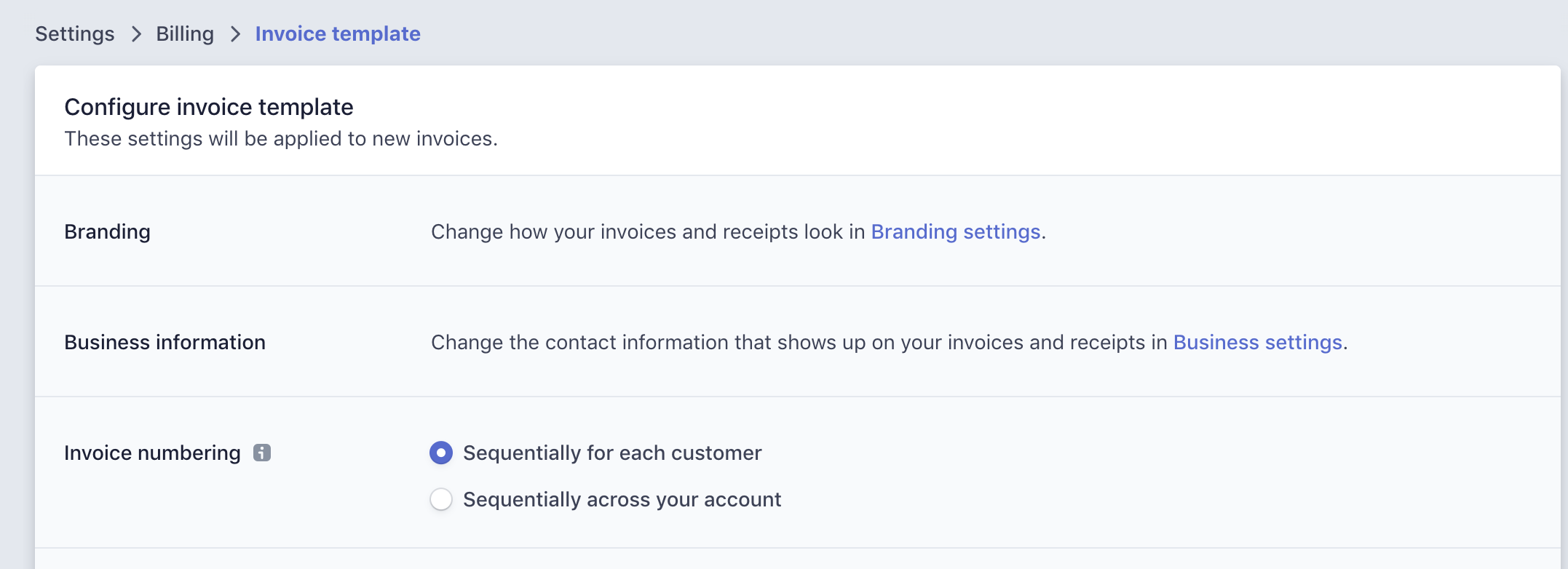
Note: Account-level numbering requires your account's default API version to be at least 2020-03-02. Some regions (EU/UK) may be set to account-level to meet local requirements.
Set the Prefix and Next Invoice Number (Account-Level)
Once you've switched to account-level numbering, you can set both of the following on the Invoice settings page.
- Prefix — The name used for your invoice sequencing (3–12 characters; can't match any other prefix, including ones no longer in use).
- Next invoice sequence — The number of the next invoice that will be created under that sequencing.
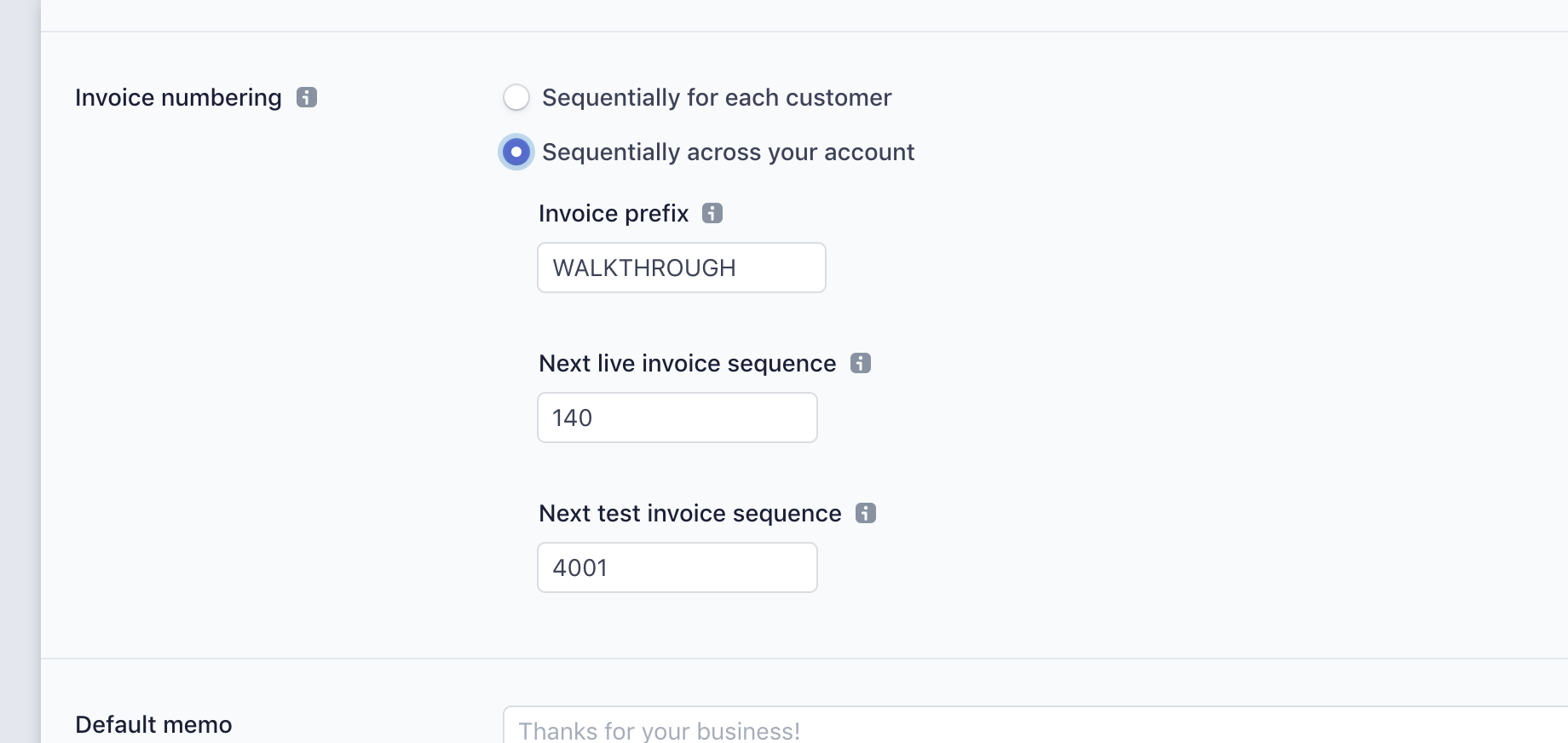
This lets you make sure your next Stripe invoice continues from your previous invoice number — particularly useful when migrating to Stripe. For example, if your old system ended at invoice 123, set the Next invoice sequence to 124.
Set the Prefix and Next Number (Customer-Level)
If you're using customer-level numbering, these are set per customer rather than account-wide:
- Prefix: Go to the Customers page, open the customer, and set their invoice prefix.
- Example: Customer Typographic with prefix
TYPGRA→TYPGRA-0001,TYPGRA-0002, etc.
- Example: Customer Typographic with prefix
- Next number: On that same Customer details page, set the starting number for that customer.
Limits to Know
- The next number must be higher than any number already used on an invoice.
- The maximum invoice number is 1,000,000,000 — start low to avoid hitting the ceiling.
- Draft invoices only get a number once finalized, which keeps the sequence gap-free.
For a complete overview of what you can edit on an Invoice, check out Stripe's Customize invoices docs.