
Understanding the Child Billing Dashboard
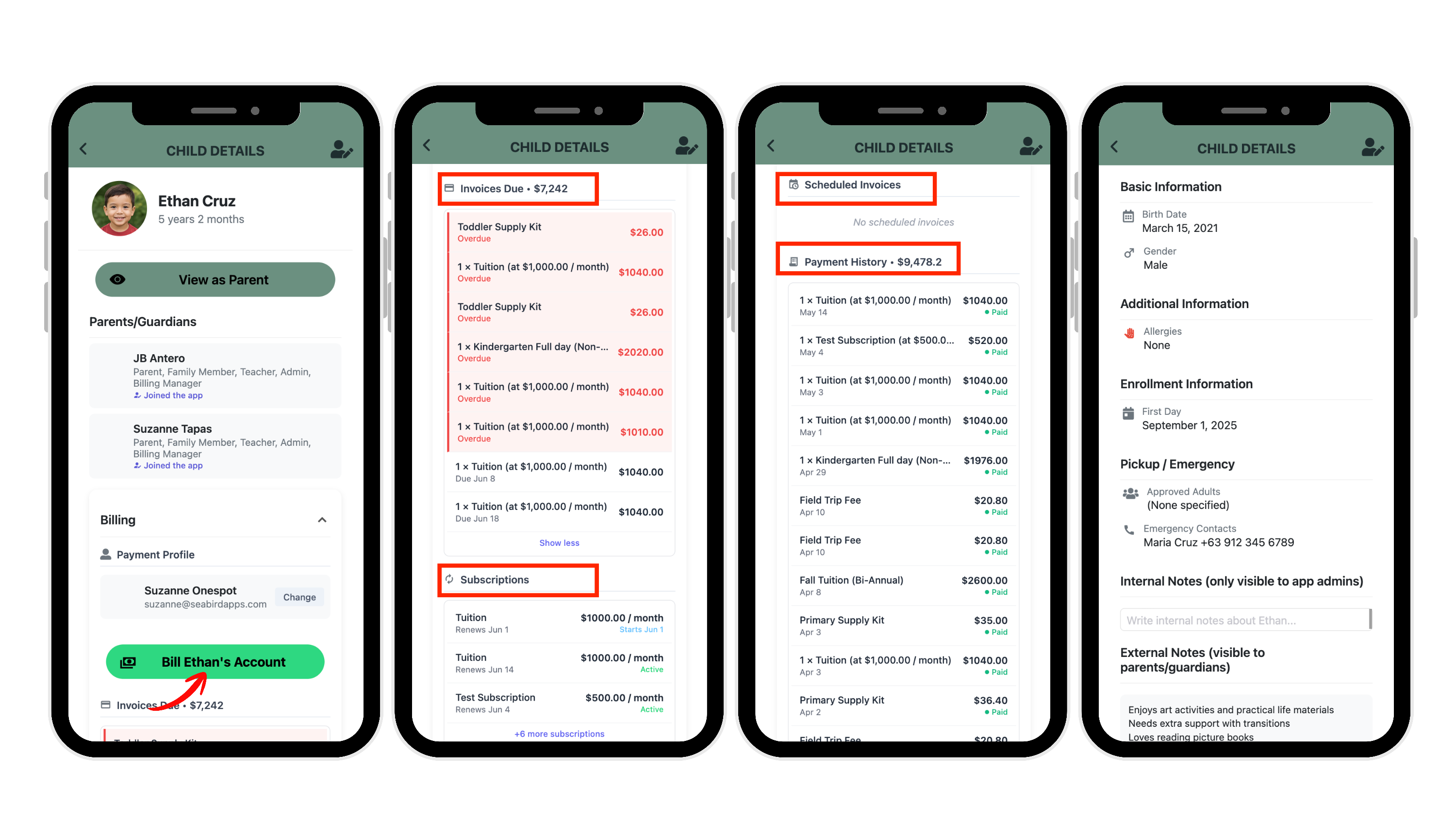
The Child Billing Dashboard allows admins to view billing activity for a specific student all in one place — including invoices, overdue balances, subscriptions, scheduled invoices, and payment history.
This is especially helpful when you need to quickly review a family’s billing record without searching through the full school-wide billing dashboard.
Where to go
Admin Superpowers (⚡) → All Children
Then click on the child/student you want to view.
What You Can See in the Billing Section
The Billing section includes:
- Payment profile information
- A direct “Bill Student’s Account” button
- Open and overdue invoices
- Active subscriptions
- Scheduled invoices
- Payment history
- Internal billing notes
This allows admins to manage most billing-related activity for a specific student from one centralized screen.
Payment Profile
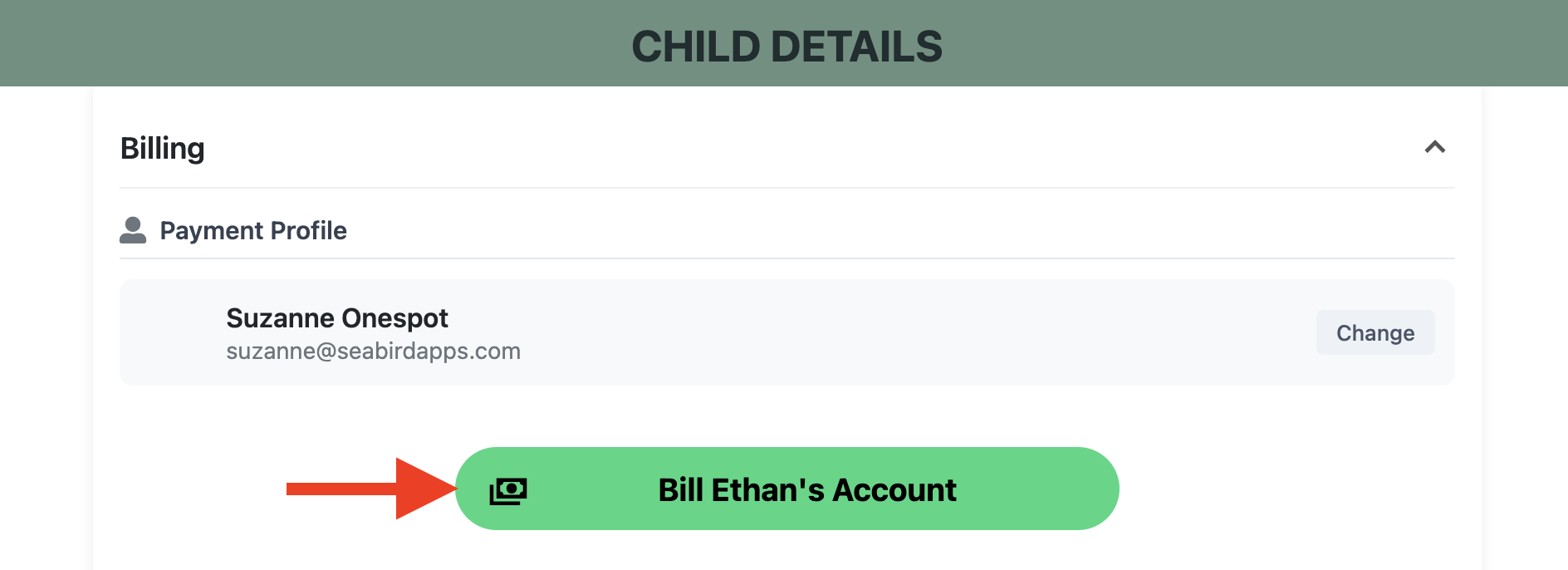
The Payment Profile section shows:
- The connected billing account
- Parent/payment email
- The option to change the payment profile
Admins can also click:
“Bill [Child’s Name]’s Account”
to quickly create and send a new invoice for that student.
Invoices Due
The Invoices Due section shows the student's unpaid invoices.
This may include:
- Open invoices
- Overdue invoices
- Upcoming due invoices
Overdue invoices appear in red.
Subscriptions
The Subscriptions section shows recurring billing plans connected to the student.
Examples:
- Tuition
- Aftercare
- Enrollment plans
- Recurring fees
Scheduled Invoices
The Scheduled Invoices section shows invoices planned for future delivery.
This helps admins review:
- Upcoming tuition invoices
- Future billing schedules
- Pending automated invoices
If none exist, the section will display:
“No scheduled invoices”
Payment History
The Payment History section shows completed payments connected to the student.
This is useful for:
- Reviewing past payments
- Confirming paid invoices
- Record keeping
Exporting a Student's Payment History
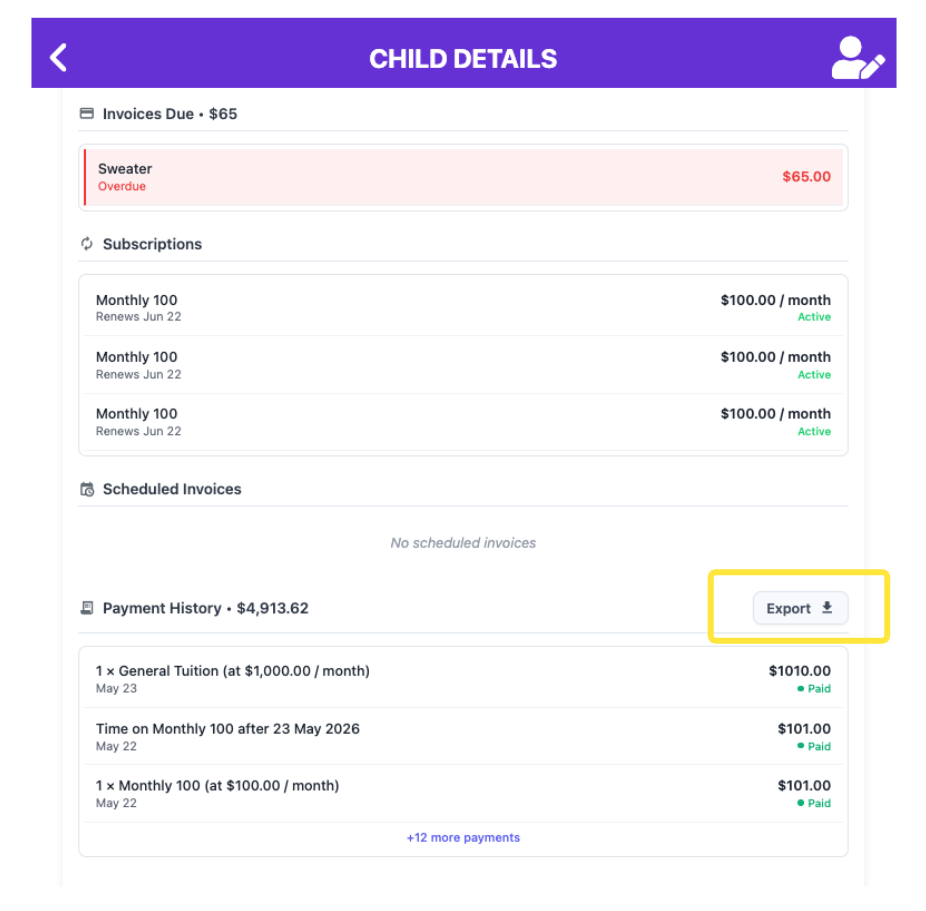
You can download an individual student's payment history as a spreadsheet right from their Child Billing Dashboard.
In the student's Payment History section, click the Export button in the top-right of the section header. This downloads an Excel (.xlsx) file named after the student — for example, Jane_Doe_Payment_History.xlsx — with a row for every payment and these columns: Date, Description, Amount, Discounts, Status, Invoice Number, and Line Items.
A couple of things to know:
• The Export button only shows up when you're on a computer (web browser), not in the mobile app, and only once the student has at least one payment on record.
• This exports only this student's payments. To download your whole school's payment history — or to pick a custom date range — use the school-wide Payment History page instead.
Internal Billing Notes
Admins can add internal billing notes inside the child’s profile.
These notes are only visible to admins.
Additional Child Information
Outside of billing, the Child Details page may also include:
- Classrooms
- Enrollment details
- Emergency contacts
- Parent/guardian connections
- Pickup information
- Internal notes
- Other student-related information connected to the child’s profile