
Managing Form Responses (Search, Filter, and View)
Form responses can be reviewed and managed directly in the app using search, filtering, and a dedicated response view. These tools help keep responses organized as submissions grow over time.
Where to find this
⚡ Admin Superpowers → Content →Form Responses
Viewing form responses
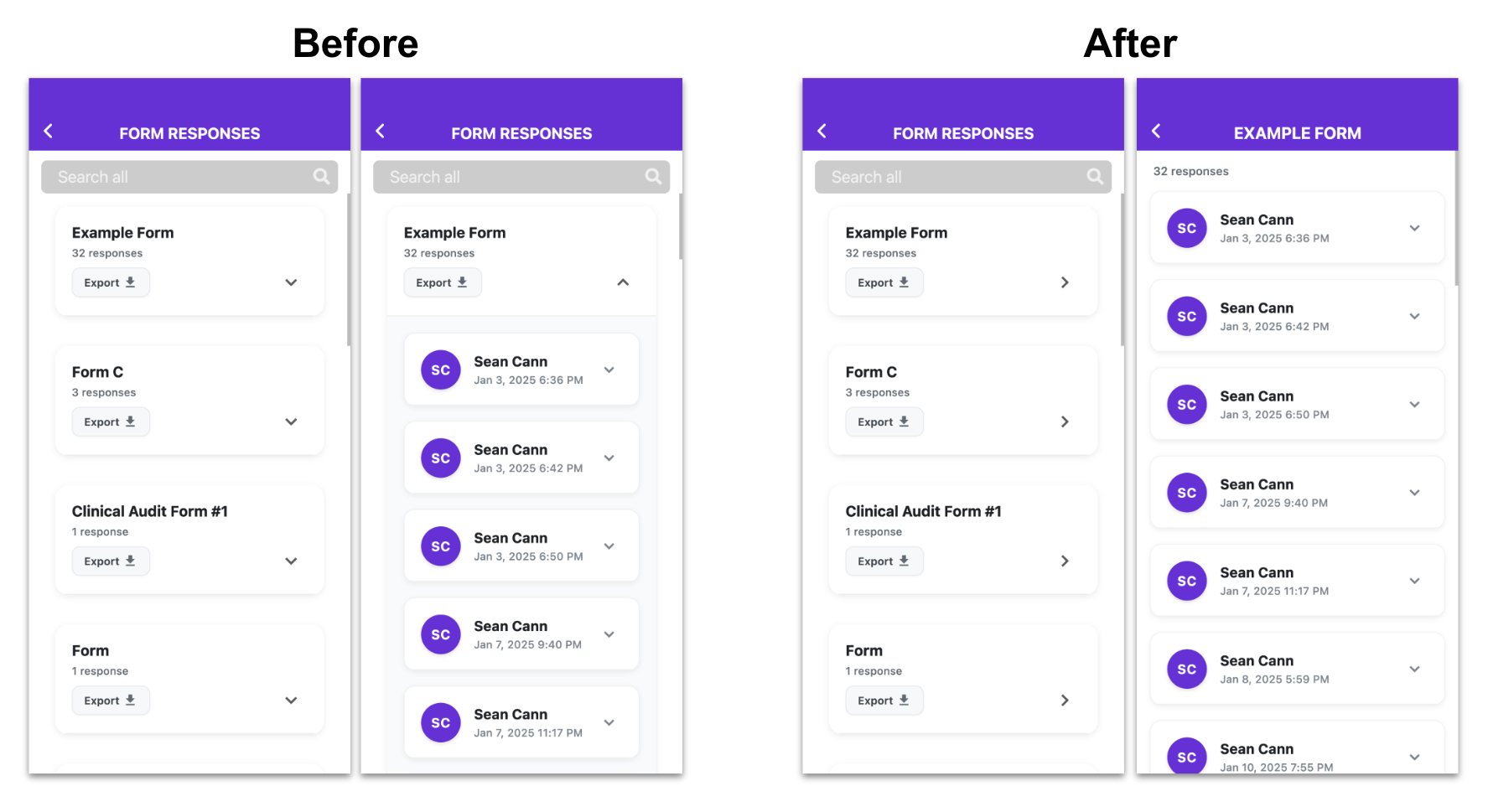
Each form opens into its own dedicated response screen, making it easier to review submissions in a clean, focused layout.
Searching and filtering responses
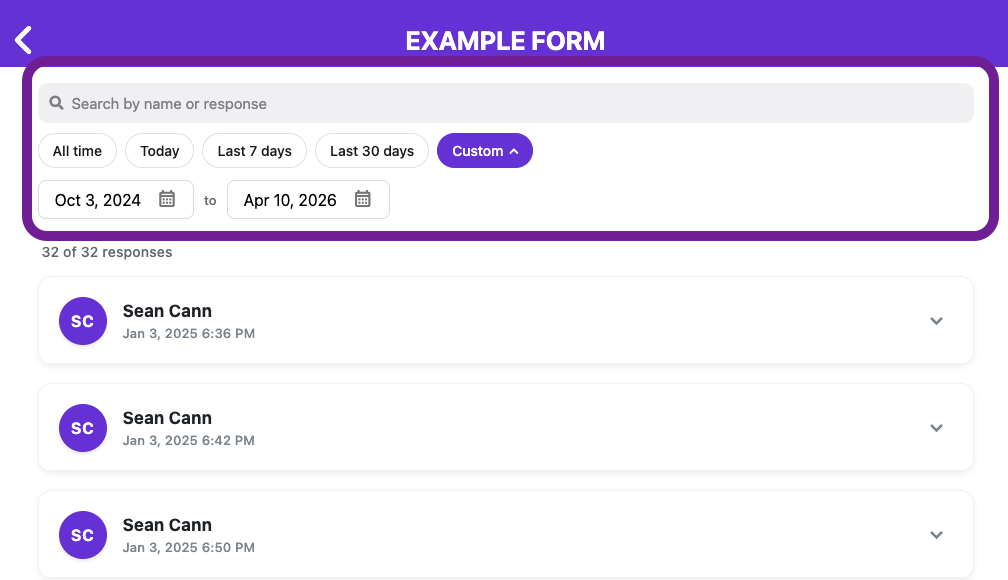
You can search and filter responses to quickly find what you need.
Available options:
- Search by keyword
- Filter by date range:
- Today
- Last 7 days
- Last 30 days
- Custom date range
What this helps with:
- Narrowing down large response lists
- Focusing on a specific time period (e.g. current week or month)
Important notes
- There is currently no archive or delete option for form responses
- All responses remain available in the app
- You can use date filters to hide older responses and focus on current ones