
Linking Invoices and Subscriptions to a Child
You can link both invoices and subscriptions to a child to keep billing tied to the correct student record.
Linking an Invoice to a Child
Where to find this
Onespot Payments → Billing → Open Invoices
Steps
- Open the invoice
- In Invoice Details, locate Link Invoice to Child
- Select a child from the dropdown
- The invoice will update automatically

Linking a Subscription to a Child
Where to find this
Onespot Payments → Billing → Upcoming Billing → Subscriptions
(Select a recurring subscription)
Steps
- Open the subscription
- In Subscription Details, locate Link Subscription to Child
- Select a child from the dropdown
-
The subscription will update automatically
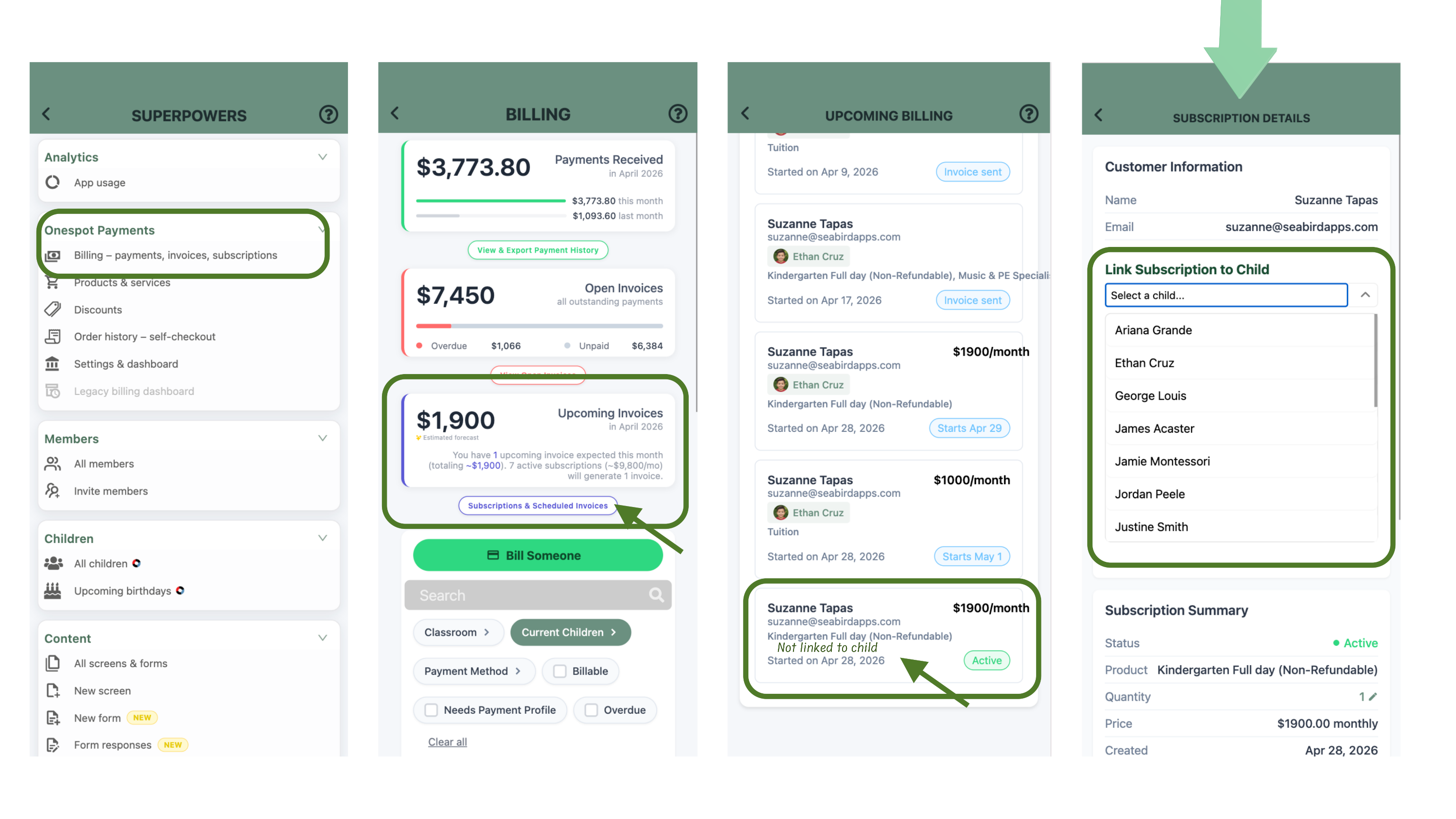
Sample Subscription not linked to child
Updating the Linked Child
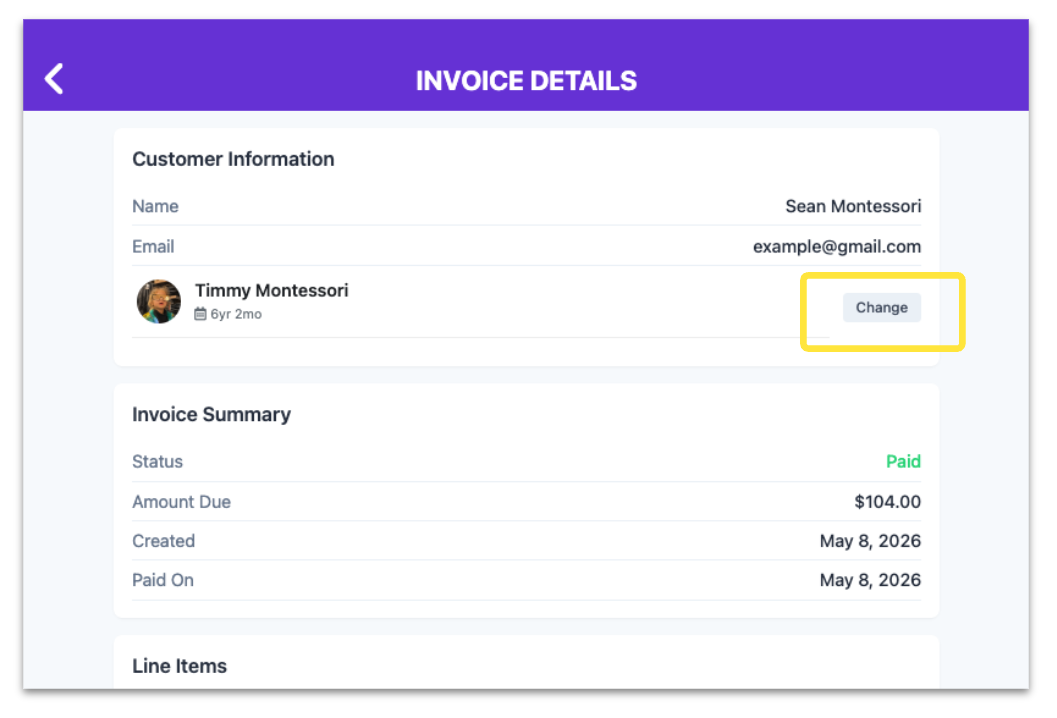
Admins can change which child is linked to an existing invoice or subscription directly from the details screen.
Steps
- Open the invoice or subscription
- In the details screen, click Change next to the current child
- Select a different child
- The update will apply immediately
Why this matters
Linking billing items to a child ensures invoices and subscriptions are correctly associated with the student they belong to, making it easier to manage billing at the child level and review records when needed.